Special offer - save up to 40% off on funnel kit.

| Limited time Deal:

01Day
23Hour
55Min
20Sec
New Launch

Request a Call Back Widget for GHL Websites & Funnels

Allow visitors to easily request a callback without calling your business directly. Select from 8 flexible layouts and 32 pre-designed presets, build your own form, and collect callbacks in your own GHL workflow.

$10*
Install Widget Now

16 people are viewing this right now

  • No Code Setup
  • Lifetime Updates

At a Glance

Best For

  • Service-Based Businesses
  • Digital Marketing Agencies
  • Consultants & Coaches
  • Sales Teams
  • Businesses That Handle Phone Enquiries

Alternatives

  • Basic Contact Forms
  • Static Click-to-Call Buttons
  • Manually Managed Callback Requests

Dashboard Integration

GoHighLevel

Widget Features

  • 8 Flexible Callback Form Layouts
  • 32 Ready-Made Design Presets
  • 4 Visual Design Styles
  • 12 Accent Color Themes
  • Customizable Form Fields
  • Preferred Call Time Dropdown
  • Consent Checkbox
  • Custom Webhook Integration
  • Device-Specific Layouts
  • Flexible Display & Visibility Controls
  • Custom CSS Support
  • Form Submission Messages
Request a Call Back Widget for Funnels and website | Full Walkthrough

Make Every Callback Request Count

Not all visitors are ready to place calls to your business immediately. Some would like to leave their contact information and set a time to call. Simple contact forms might not offer the right callback choices, making it harder to capture those high-intent enquiries.

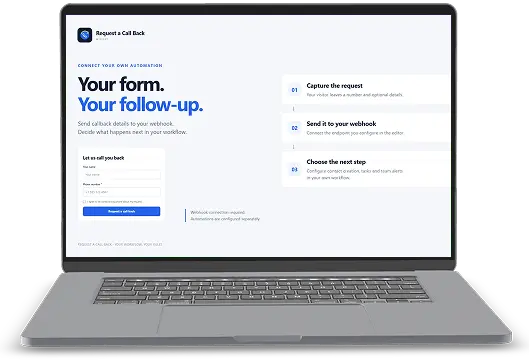
The Request a Call Back solution allows visitors to enter their phone number and information via a customisable form and set a specific callback time. Integrate it with your inbound webhook and control the requests with your workflows in GHL, including the creation of contacts, as well as notifications for your team.

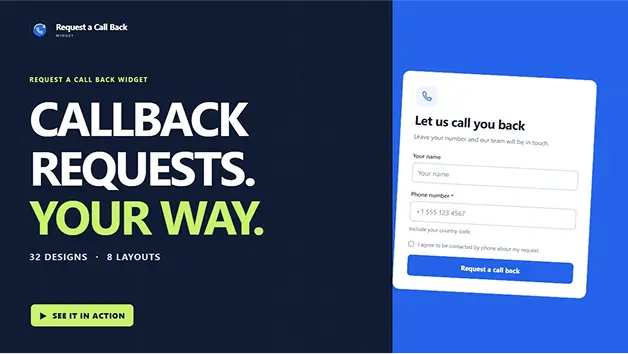
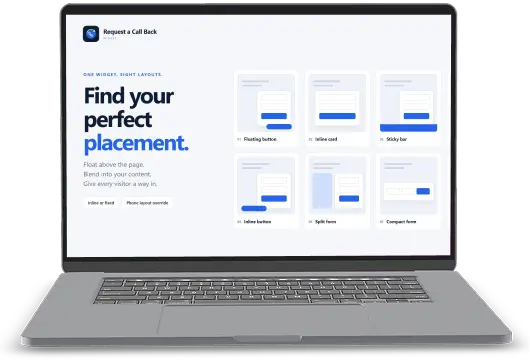
8 Layouts for Every Callback Experience

Display callback invitations in different positions and formats to suit your website design. Select from 8 flexible layouts that will make your callback form easily accessible without disturbing the visitor's experience.

  • Floating & Side Tab: Display a fixed callback button or a side-positioned tab that opens the form.
  • Card & Compact: Place a complete callback form directly on the page or use a smaller version for limited spaces.
  • Sticky Bar & Banner: Show callback invitations in a fixed top or bottom bar or a wider banner layout.
  • Button: Make an inline button that shows the callback form when it is clicked.
  • Split Form: Display content and callback form in separate panels to give a structured layout.
GHL Request Callback Widget

Capture Callback Details with Custom Forms

Collect data that will be required for follow-up requests for callbacks. Add redirects to form fields, set conditions, and provide a clear method for visitors to provide contact preferences.

  • Phone Number: Collect phone numbers that include country codes. This field will always be required.
  • Contact Details: Add name, email, and message fields, with options to make them required or optional.
  • Preferred Call Time: Add a custom call time dropdown to allow visitors to choose the most convenient time to call.
  • Consent Checkbox: Insert an editable consent box to get visitors' permission.
  • Webhook Submission: Send submitted callback requests to your configured GHL inbound webhook for processing through your own workflow.

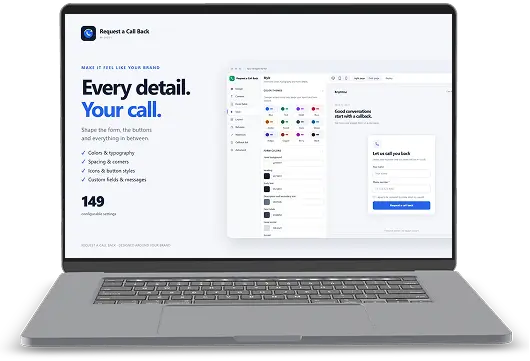
Customize Every Detail to Match Your Brand

Design custom forms that seamlessly fit into your site. Select from pre-made designs, adjust individual components, and control when and where the widget shows up.

  • Choose from 32 pre-made looks in four different visual modes: Classic, Studio, Botanical, and Midnight.
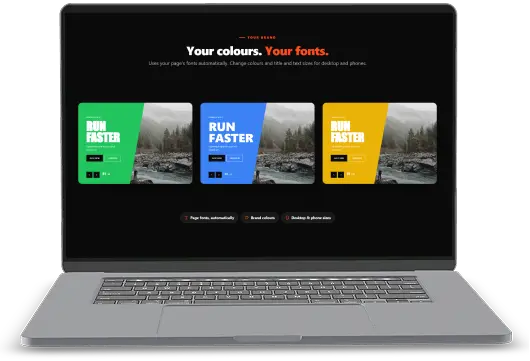
  • Select from 12 accent color options and 8 surface treatments such as bordered, minimal, soft, elevated, and editorial.
  • Personalize the form, header, input fields, submit button, launcher, typography, and confirmation messages.
  • Manage widget placement, device visibility, appearance delay, URL appearance rules, and animations.
  • Apply mobile-specific layouts and store visitor data. You can add custom CSS for additional styling.
GHL Request Callback Widget
Setup Process

From Setup to Callback Requests in 4 Simple Steps

Customize your form, connect your webhook, and start capturing callback requests.

  1. Step : 1

    Add the Request a Call Back Widget

    Install the widget on your website or funnel page and click Settings.

  2. Step : 2

    Choose a Layout and Customize

    Select from 8 layouts and 32 presets. Add your preferred form fields, adjust the design, and configure display settings.

  3. Step : 3

    Connect Your GHL Webhook

    Set up an inbound webhook trigger in your GHL workflow. Copy and paste the HTTPS URL into the webhook settings of the widget and publish your page.

  4. Step : 4

    Test and Publish Your Workflow

    Request a test from the published page, map the incoming fields, and set up your own workflow actions for contact management, assignment of tasks, and team notification.

What Our Clients Say!

Looking for the right tools to improve your business website? Pennine Technolabs brings practical solutions that help businesses create better digital experiences. Our Reviews Speak Louder!!

5 out of 5 stars

Using Pennine's tools for our account at GoHighLevel has been really helpful, the features are great and easy to use and they are saving time in our daily work.

Alex Morgan

Agency Owner
5 out of 5 stars

A good set of helpful tools for GoHighLevel. The setup is simple, and solutions are working to help our workflows without any complexity.

Daniel Carter

Marketing Consultant
5 out of 5 stars

We appreciate simplicity & value of Pennine's marketplace products. They offer good features that make customizing and managing our projects more easier.

Sarah Mitchell

Business Owner
5 out of 5 stars

I had a fantastic experience! They were incredibly easy to deal with and always quick to respond and very efficient. The entire process was smooth and hassle-free, making everything so much easier.

Jack Fricker

Owner
5 out of 5 stars

We had an amazing experience with Pennine; their professional and knowledgeable team delivered beyond our expectations. They understood our requirements perfectly and provided innovative solutions. Highly recommended!

Colleen Nagle

CEO

FAQs on Request a Call Back

A Request a Call Back Widget is a web form where visitors can provide their phone number and preferred call-back time window instead of calling a business immediately. It lets businesses capture calls and handle them through their own workflow.

Request a Call Back comes with 8 layouts: Floating, Card, Sticky Bar, Side Tab, Button, Split Form, Compact, and Banner. These layouts provide various options for showcasing callback invitations on your website.

Yes. Phone numbers, names, email address, message, call time preference, and consent. The phone number is a mandatory field; all other fields are optional or mandatory.

Yes. There are 32 pre-made presets to select from, 4 visual styles, 12 accent color themes, and 8 surface treatments. Typography, form fields, buttons, spacing, animations, and more can be customized.

The widget sends the submitted callback requests to your configured GHL inbound webhook. You can then use your own workflow to add or update contacts, add tags, assign them to users, add tasks, and notify your team.

Ready to Capture More Callback Requests?

Contact Us